Azure App Service, Naked Domains, URL Rewrite and Web Config Transforms
What started of as sporadic reports of users receiving an error screen when trying to access our online ordering system, recently grew in volume. It was time to roll-up the sleeves and dig in - little did I realise how far down this rabbit hole went.
IDX10311 error
The full text of the error is:
Here’s how it looks on-screen:
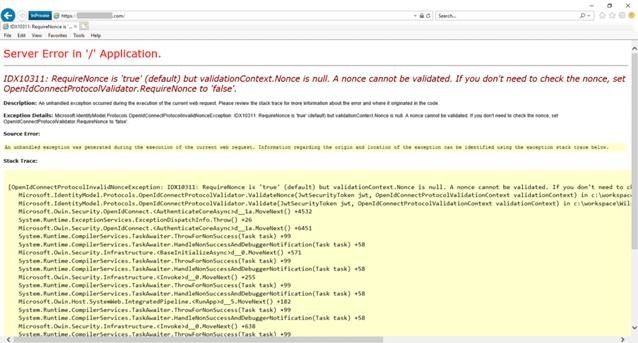
IDX10311 Yellow Screen of Death😧
Naked Domains
A link to our web application had been sent out to a new batch of users that was missing the www subdomain from the URL - it was these new users that were being hit with the IDX10311 error. This highlighted the issue to us that our website was not configured to respond correctly to the naked domain, a.k.a. apex / bare / root domain:
Naked Domain : https://MyWebApp.com URL : https://www.MyWebApp.com
The Request - Response trail
The journey taken by the user’s browser when accessing our site with a naked domain can be seen in this Dev Tools screenshot:
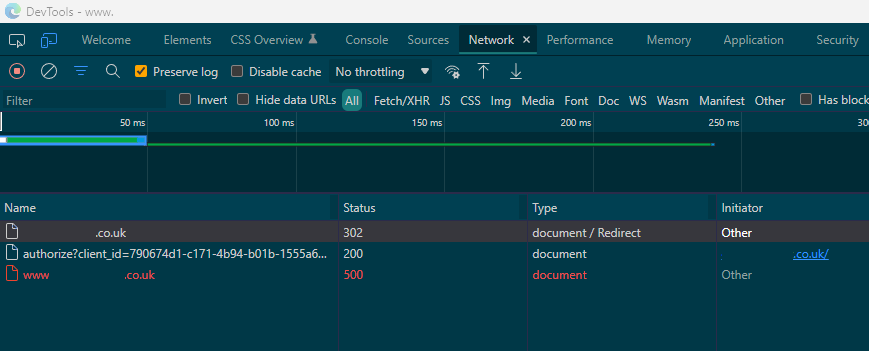
From naked domain request to server error
The initial HTTP request shows a 302 status:
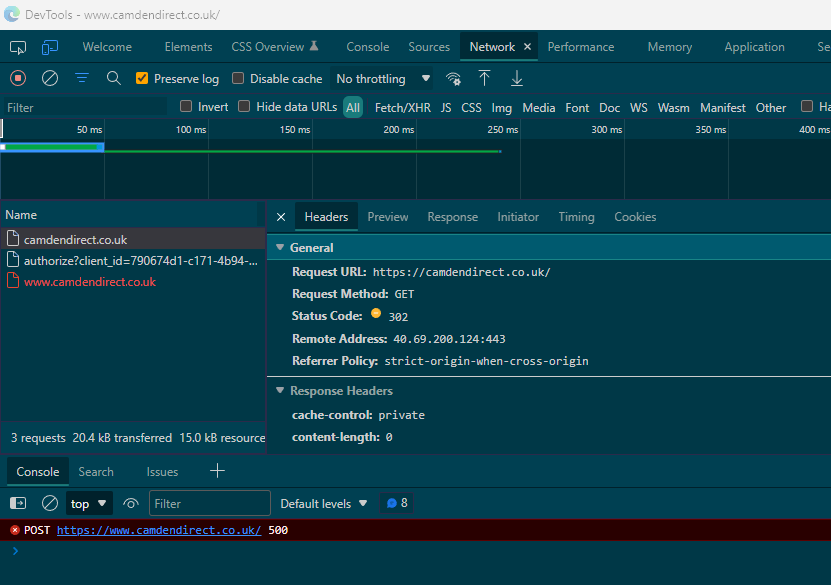
Initial HTTP request with 302 status
The initial HTTP response explains what is happening at this stage:
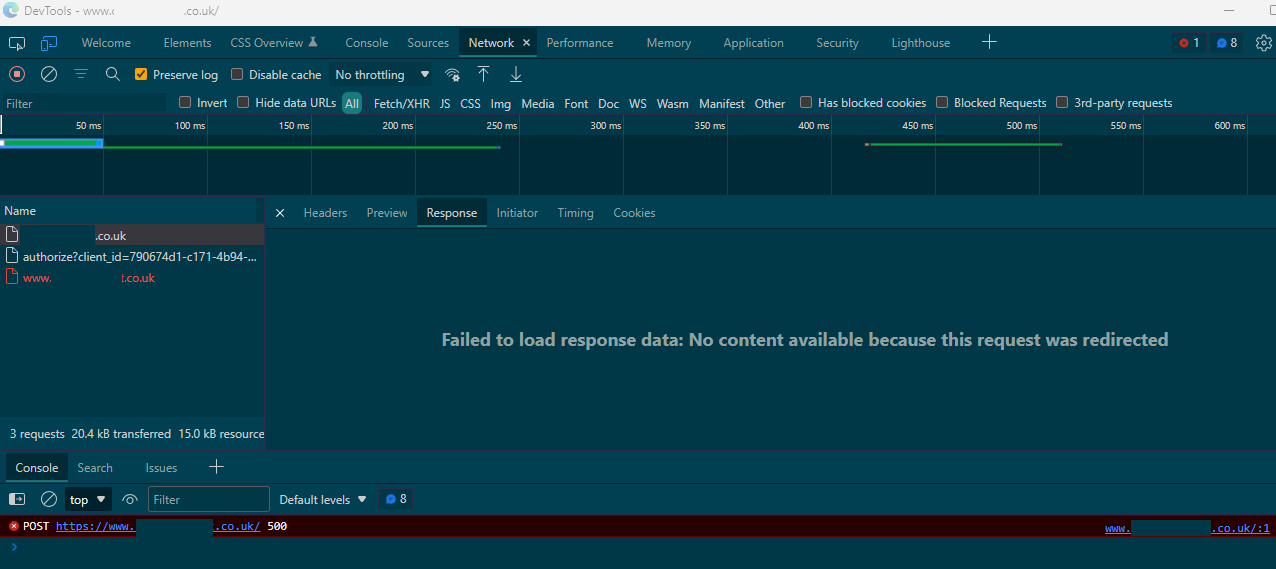
Initial HTTP response
This redirect takes the user to Azure authentication. I am assuming that the user has recently signed-in and is still authenticated, therefore the Microsoft identity platform redirects the user’s client to the Redirect URI defined in the Azure App Service.
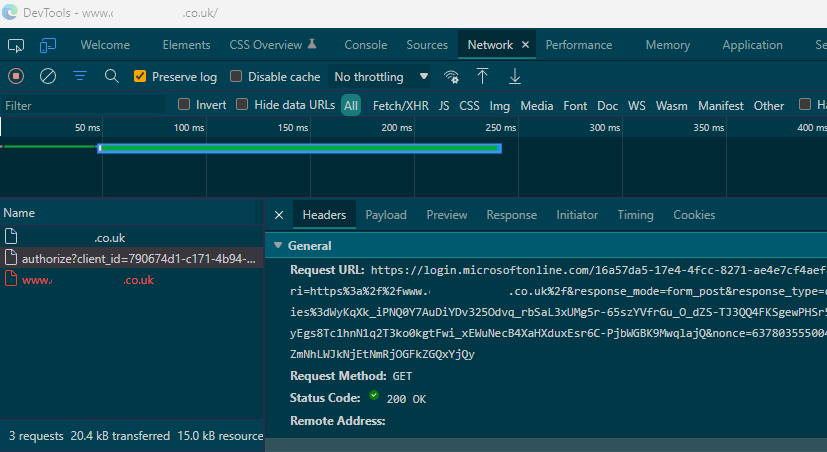
Azure Authentication
However, the authentication token supplied is for the full web application URL, including the www subdomain - I believe this is the cause of the IDX10311 error.
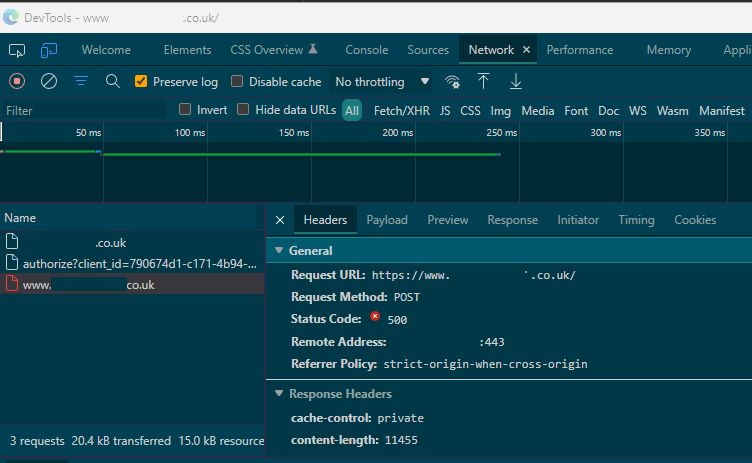
HTTP 500 request status
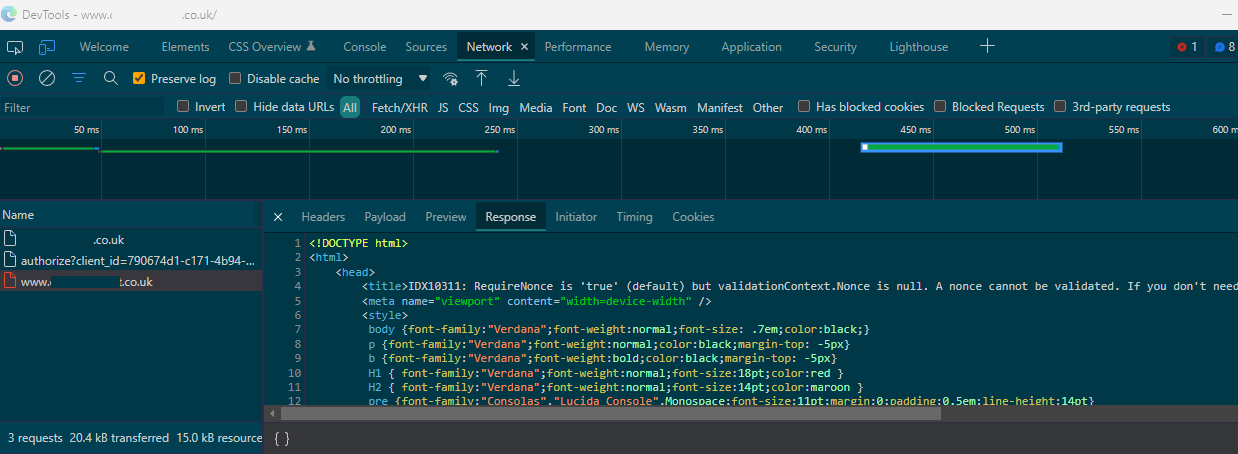Nonce is null response error
Attempting to fix
My initial attempts at fixing included:
- Addition of a URL rewrite in the web config file.
- Removal of the naked domain as a Redirect URI in the App Registration for the site.
- Addition of an A record in the Azure DNS Zone.
None of the above had any effect, but I was convinced that the URL re-write should work (in theory at least!).
I couldn’t see any trace of the new redirect in the Dev Tools, so I took a look at the actual web config of the App Service using Kudo:
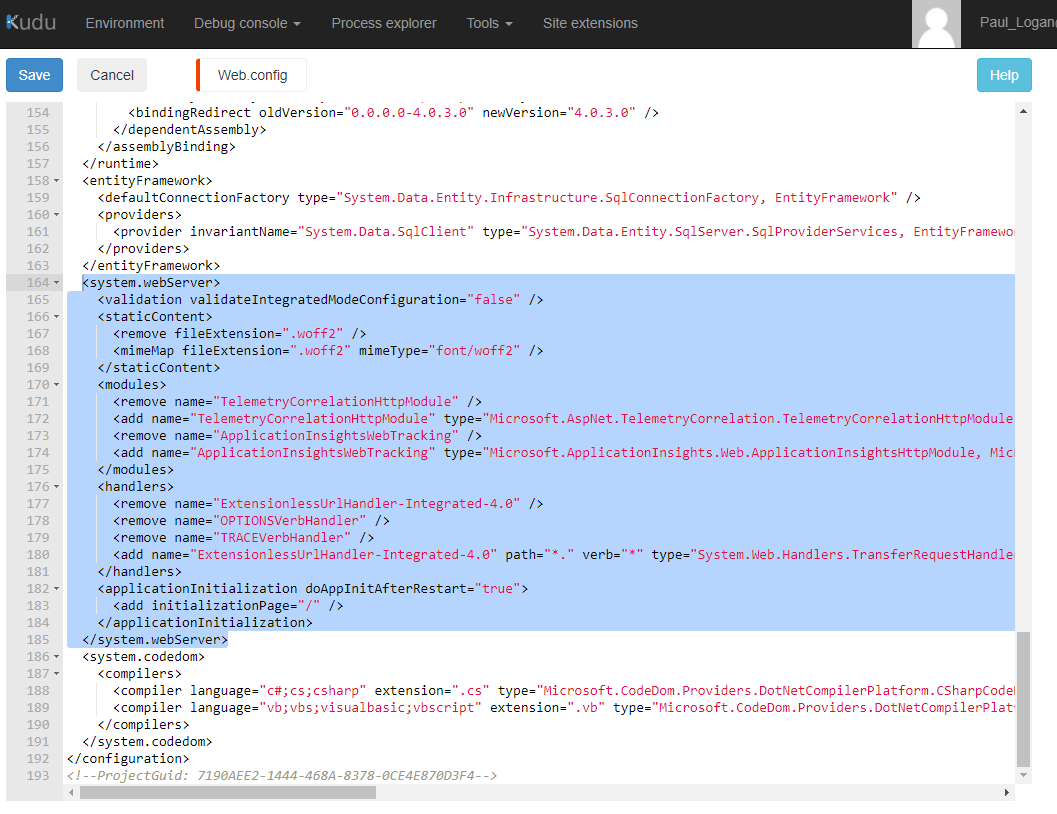
Not seeing the rewrite rule in the web.config!🤔
In a way, I was thankful that I could not see the re-write rule. It meant it was still the most likely solution.
But why was it missing?
Web Config Transforms
I have used web config transforms on a number of projects to change settings in the web.config when publishing a web app to a live server (previous to this, I was using Slow Cheetah).
Naturally enough, I included a Release web config transform file for this web app, which would have worked back in the “early” days when I published directly to the App Service. Since then, I have upgraded to use Azure Pipelines for building, executing unit tests and deploying the application.
However, unbeknownst to myself, this change of procedure did not automatically incorporate the transformation of the web config file.
Web Config Transforms in Azure-land
I thought all I needed to do was include transformations as an explicit step in the YAML Pipeline, which I promptly did:
	- task: AzureRmWebAppDeployment@4
	  inputs:
		ConnectionType: 'AzureRM'
		azureSubscription: 'Pay-as-you-go (d94f64a7-c8b7-49a7-9d78-501025626e74)'
		appType: 'webApp'
		WebAppName: 'MyApp'
		deployToSlotOrASE: true
		ResourceGroupName: 'MyApp'
		SlotName: 'Staging'
		packageForLinux: '$(Build.ArtifactStagingDirectory)/MyAppBuildArtifact/*.zip'
		enableXmlTransform: true
		enableXmlVariableSubstitution: true
Still no joy. Blog posts from Eric Herlitz and David Sekar lead me to the reason and solution -
Sure enough, the transform files were not part of the downloaded artifact. Using the proposed solution in David’s blog post above got me over that hurdle:
	<!-- BEFORE -->
    <Content Include="Web.config">
      <SubType>Designer</SubType>
    </Content>
    <Content Include="Web.Debug.config">
      <DependentUpon>Web.config</DependentUpon>
    </Content>
    <Content Include="Web.Release.config">
      <DependentUpon>Web.config</DependentUpon>
      <SubType>Designer</SubType>
    </Content>
<!-- AFTER -->
<Content Include="Web.config" />
<Content Include="Web.Debug.config" />
<Content Include="Web.Release.config" />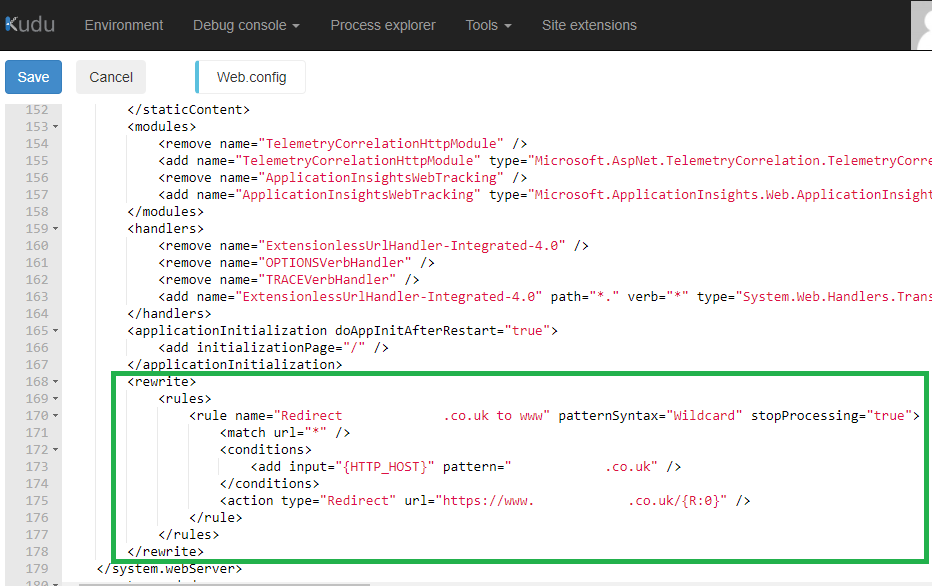
Not I see you, my wee rewrite rule!😃
Regards,
Paul.
Related Posts
2022-01-15
2021-04-10
2021-04-05