SWA CLI

Installation
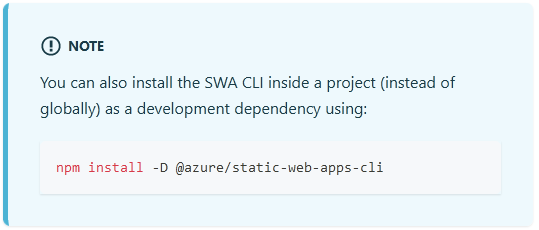
The simple installation procedure is detailed here. I recommend you follow the advice mentioned in the note section, that is unfortunately shown after the install command:
 {.shadow}
Advice not to install package globally
A really good explanation as to why you should not install npm packages globally is given here.
I used the following command to install the SWA CLI as a dev dependency (the -D flag means the package will appear in your devDependencies):
npm install -D @azure/static-web-apps-cliA good explanation of what this does is here
As a local installed dependency, use the npx command to run the SWA command in the local npm package in a similar context as running it via npm run.
npx @azure/static-web-apps-cli start --api-location apiEmulation
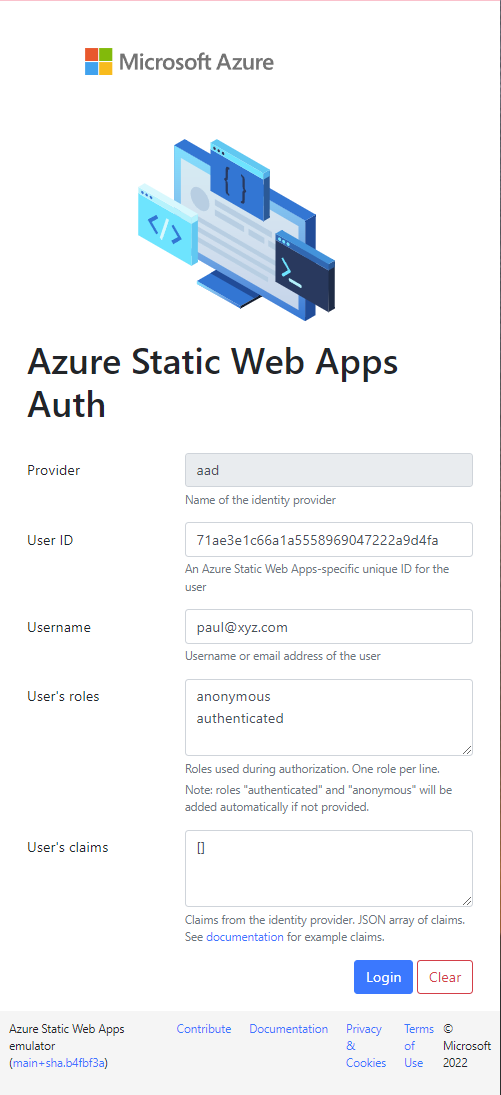
When logging into the app, the SWA CLI steps in to emulate the AAD authenticaton process, so that instead of a real authentication request being sent to Azure AD, a user details screen is presented. This allows you to provide credentials for testing the app with.
 {.shadow}
SWA CLI emulating AAD Authentication
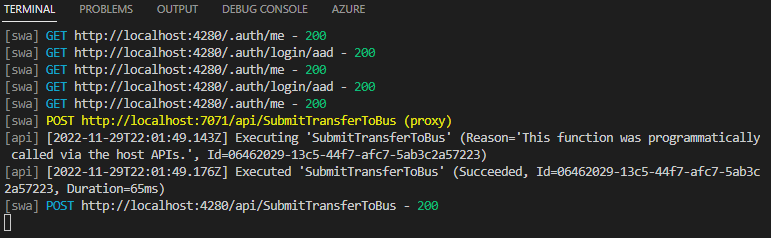
Calls to backend server APIs are also captured and emulated by the SWA CLI, as can be seen in the terminal output:
 {.shadow}
SWA CLI emulating Azure Function call
Gotcha
Returning to the app sometime later to work on this post, when running the above command, I started getting this on my home machine:
Microsoft.Extensions.Azure: Could not load file or assembly ‘System.Diagnostics.Tracing, Version=5.0.0.0, Culture=neutral, PubliublicKeyToken=b03f5f7f11d50a3a’. The system cannot find the file specified.
The same command on my work machine ran successfully. Googling the error only lead to answers suggesting I needed to update the AzureFunctionsVersion in the csproj file to v4 from v3, but v4 was already in place.
Comparing the terminal output on both machines highlighted a difference in the Azure Function Core Tools:
[api] Azure Functions Core Tools
[api] Core Tools Version:       3.0.4868 Commit hash: N/A  (64-bit)
[api] Function Runtime Version: 3.15.1.0
[api] Azure Functions Core Tools
[api] Core Tools Version: 4.0.4785 Commit hash: N/A (32-bit)
[api] Function Runtime Version: 4.10.4.19213Running the following command to update the version solved the error:
npm i install -D azure-functions-core-tools@4 --unsafe-perm true